01The verdict
8.0 / 10 · Best for team chat at work
Free until you need history older than 90 days
Slack is still the team chat we’d hand to a company that lives in channels. Threads, search, huddles and a huge app directory keep day-to-day work in one place. On Pro, that package is clear and complete for most small and mid-size teams.
The free plan is the catch. Searchable message and file history stops at 90 days, free workspaces delete content older than one year, apps cap at 10, and huddles stay 1:1. Once your team needs last quarter’s decisions, Pro at $7.25 per user per month billed yearly is the real starting point. We’d start free for a short project, then pay when history matters.
02Screenshots
From the App Store
A look inside the app

03Design & everyday use
Design & everyday use · 8.0
Channels first, noise second
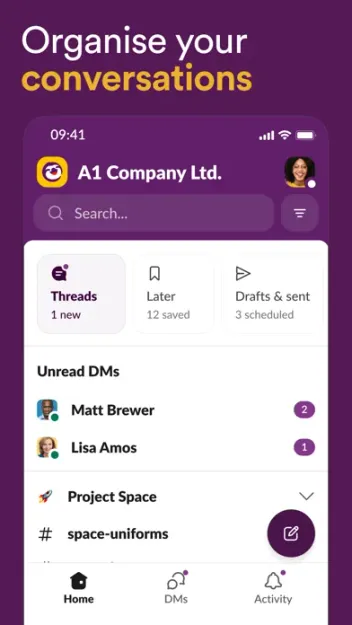
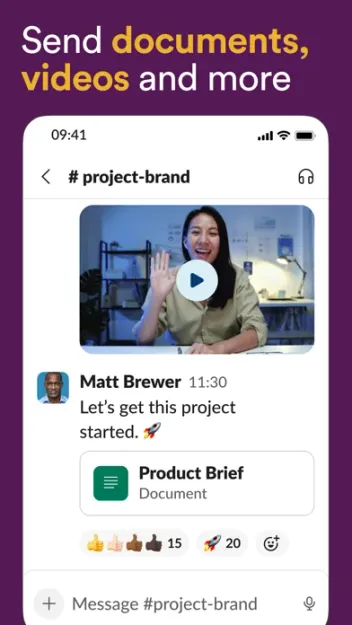
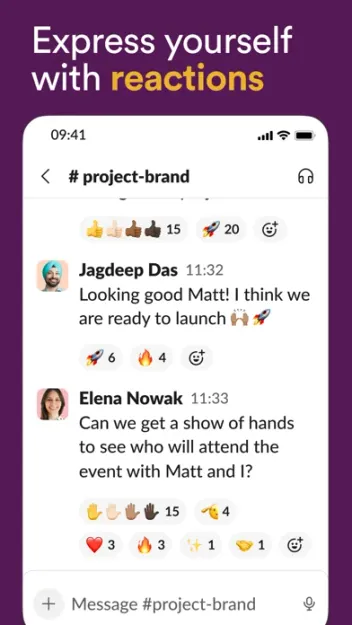
Slack’s layout is channel-and-DM first on phone and desktop. Home, DMs, Activity and Later cover the daily loop. Threads keep side talk out of the main channel when people use them. The mobile apps are solid for catch-up; desktop is where power users live with keyboard shortcuts and a denser sidebar.
The product can get loud. Without muted channels, saved sections and notification discipline, Slack turns into a second inbox. That is a team habit problem as much as a design one, and it still costs focus.
04Channels & search
Channels & search · 9.0
The reason teams stay
Channels for projects, topics and clients, plus threads and bookmarks, are Slack’s core strength. Search across people, messages and files is fast enough that new hires can find context without pinging five people. Canvases and lists on paid plans keep lightweight docs and task boards next to the chat.
On Free, that strength has an expiry date. After 90 days, older messages drop out of search. For any team that revisits decisions, specs or customer notes, that wall is the upgrade trigger.
05Integrations & workflows
Integrations & workflows · 8.5
Deep directory, paid automation
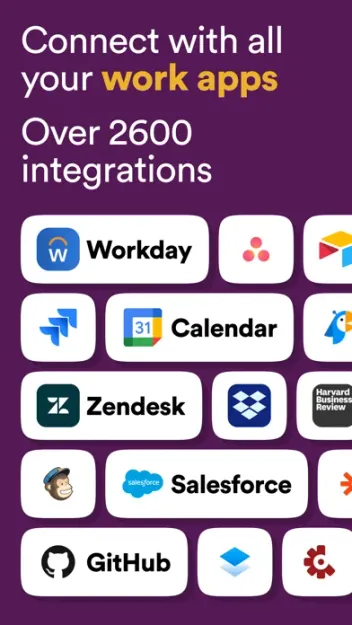
Slack’s App Directory covers Google Drive, Jira, GitHub, calendars, CRMs and AI assistants. Pro removes the 10-app cap and adds Workflow Builder for routine automations. Business+ adds conditional branching, AI workflow generation, Slackbot as a personal agent, daily recaps and AI search answers.
Pro covers thread and channel summaries plus huddle notes. The fuller AI suite sits on Business+ and Enterprise+. If AI inside Slack is the reason you would pay, budget for Business+, not Pro.
06Cross-platform
Cross-platform · 8.5
Phone for catch-up, desktop for work
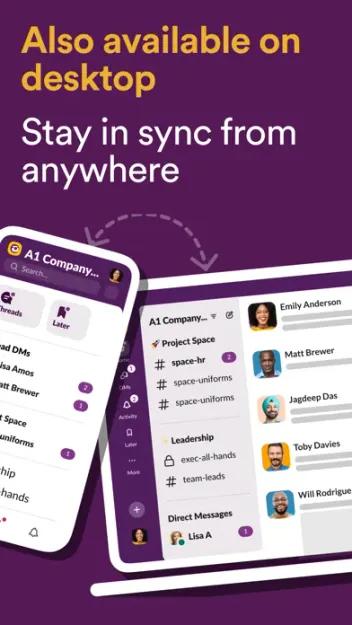
Slack runs on iPhone, iPad, Mac, Android, Windows and the web. Sync is reliable in daily use. Huddles replace many quick Zoom calls. Slack Connect shares channels with outside orgs on paid plans; Free limits external chat to 1:1.
The iOS and Android apps are full clients, not mirrors. You can search, reply in threads, join huddles and manage notifications on the go. Heavy admin, Workflow Builder and long canvases still feel better on desktop.
07Plans & pricing
Value · 7.0
Free for trials; Pro when history matters
US prices from Slack’s pricing materials as of October 2026. Confirm at checkout; regional pages and promos change. Slack’s Fair Billing policy charges only active members.
- Free90-day searchable history, 10 apps, 1:1 huddles$0
- ProBilled yearly; $8.75/user/mo month-to-month; unlimited history$7.25/user
- Business+Billed yearly; $18/user/mo month-to-month; advanced AI and SSO$15/user
- Enterprise+Listed around $45/user/mo billed yearly; contact salesCustom
Free is fine for a short-lived project or a tiny team that never needs old messages. Pro at $7.25 per user per month billed yearly ($8.75 month-to-month) restores unlimited history, unlimited apps, group huddles and Slack Connect channels. Business+ at $15 yearly ($18 monthly) adds SAML SSO, stronger compliance exports and the advanced AI tools. Enterprise+ is sales-quoted for large orgs.
Per-seat math adds up. Ten active people on Pro yearly is about $870 a year before tax. That is fair for a real work hub and steep if half the seats barely open the app. Value sits at 7 because Free is intentionally limited and Pro is priced per human.
08Privacy
Privacy · 7.0
Encrypted in transit and at rest; admin controls on paid plans
Slack encrypts data in transit and at rest. Two-factor auth is available on all plans. Access logs, retention controls, data residency and full message exports arrive on higher tiers. Enterprise Key Management is an Enterprise+ add-on for orgs that need their own keys.
Slack is a cloud work OS. Messages live on Slack’s infrastructure, and workspace owners hold broad export and retention power. That fits ordinary business chat. It is a weaker fit if you need end-to-end encrypted team messaging under your own keys. Check admin settings, app permissions and retention before you pour sensitive customer data into channels.
09Alternatives
Worth a look
When another hub makes more sense

Discord
Lighter and cheaper for communities and casual groups. Weaker as a formal work OS once you need audit trails, SSO and client channels.

Notion
Wins when the hub is docs and databases rather than chat. Pair it with Slack, or pick it when writing and wikis matter more than channels.

Telegram
Fast personal and small-group messaging with strong mobile clients. Not a substitute for Slack's channels, admin controls and work integrations.
10Bottom line
Start free, pay for history
Use free until the 90-day wall, then take Pro
Stand up Slack on the free plan and live there until search fails on something older than 90 days, or until you need a group huddle or an 11th app. For an ongoing team, Pro at $7.25 per user per month billed yearly is the plan we’d buy. Move to Business+ when you need SSO, compliance exports or the fuller AI toolkit. If your group is a community first and a company second, try Discord before you pay per seat.