

01The verdict
7.5 / 10 · Best for news and trends
Quick, current and solid, if you can live with the edges
Grok has grown into a strong AI assistant. Answers are fast and well reasoned, it’s the best of the big assistants at telling you what’s happening right now, and image and video generation are built into the same app.
What holds it back is everything around the model. It leans hard on X as a source, its guardrails are looser than its rivals’, and the new X Subscription doesn’t publish usage limits. We’d keep it as a second assistant, not the only one.
02Screenshots
From the App Store
A look inside the app
03Answers & reasoning
Answers & reasoning · 8.5
Fast by default, thorough when you ask
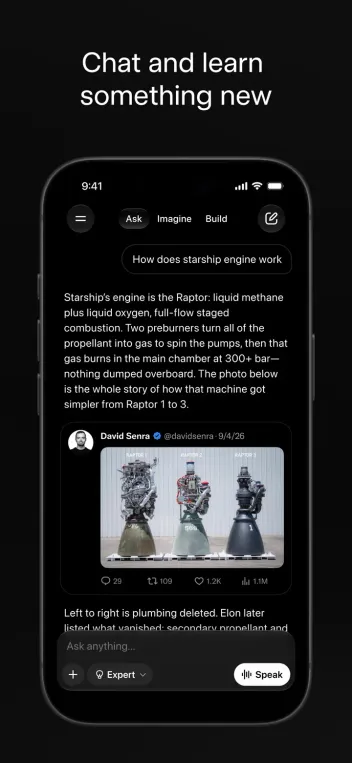
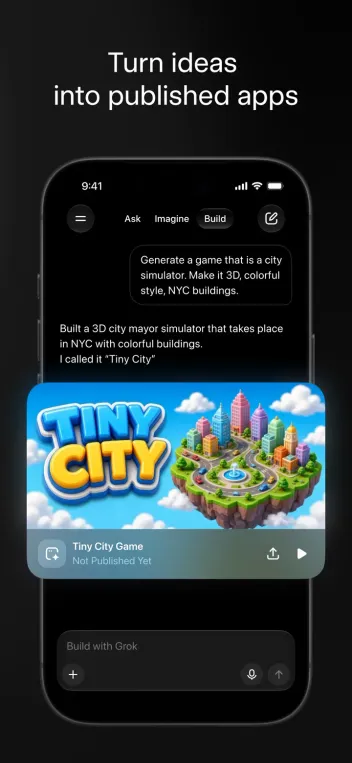
The app is split into three tabs: Ask, Imagine and Build. In Ask, Auto mode picks how hard to think, while Expert spends longer on math, code and multi-step problems. Answers are direct and well organized, with less filler than most rivals.
Deep research, file and photo analysis, and link summaries all work well. Build turns a prompt into a small working web app or game you can share, which is fun, though rough for anything serious.
One frustration: the app doesn’t tell you which model answered, so quality can shift in ways that are hard to explain.
04Real-time info
Real-time info · 8.5
The best at breaking news, with a noisy source
Grok searches the web and X together, so it can sum up a story within minutes of it breaking and tell you what people are saying about it. For sports, launches, markets and trends, nothing else is as current.
The flip side is that X posts aren’t always reliable, and early takes can slip into answers as fact. Check the sources Grok shows, especially on fast-moving or political stories.
05Imagine, voice & camera
Imagine · 8.0 · Voice & camera · 8.0
Images, short videos and a camera that talks back
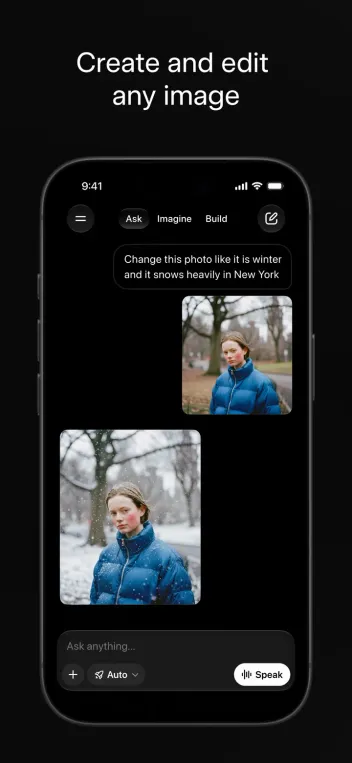
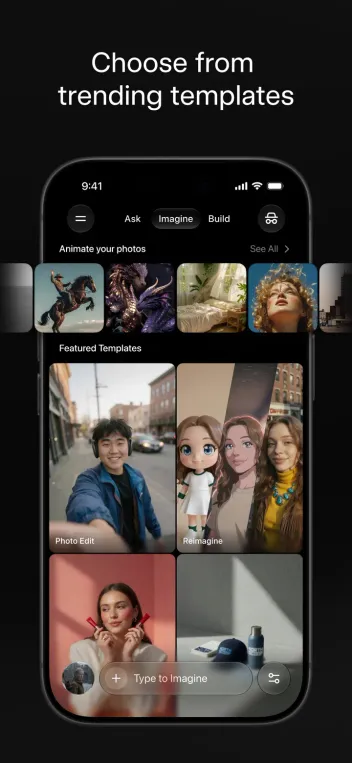
Imagine creates images from text, edits your photos, and turns stills into short videos with sound. Templates make it quick, and results are fast, though ChatGPT and Midjourney still lead on finish.
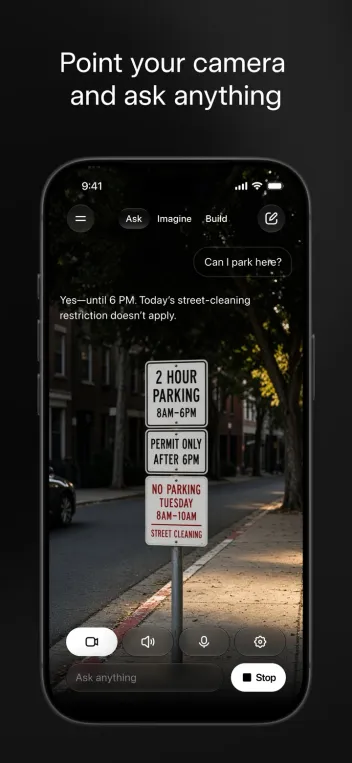
Voice mode sounds natural and responds quickly, with several personalities to choose from. Live camera mode lets Grok see through your phone and answer questions about what’s in front of you, like whether you can park under a given sign.
Grok also offers animated Companions, characters you can chat with. They’re optional, but they’re part of why the app is rated 17+.
06Plans & pricing
Value · 7.0
A cheap way in, but limits are a mystery
On October 12, xAI replaced SuperGrok with The X Subscription, which bundles Grok, X Premium and Cursor. Existing SuperGrok subscribers can keep their plans. US prices per month:
- FreeDaily limited Chat, Imagine, Voice and Build$0
- PlusMore Grok usage, X checkmark, fewer ads$8
- Premium4× Plus usage, latest models, Grok Bot, X Premium+$30
- Super15× Plus usage, priority at peak times$100
- Ultra50× Plus usage, earliest access to new models$200
Plus at $8 is an easy way to raise the free limits, and Premium is good value if you also use X or Cursor. The catch is that usage is only described as multiples of Plus, with no message or video counts, so it’s hard to know what you’re buying. Yearly plans save about 17%.
07Privacy & safety
Privacy & safety · 5.0
Check your settings before you share
By default, your conversations can be used to improve xAI’s models. You can switch this off in Settings → Data Controls, and Private Chat keeps a conversation out of your history and out of training. If you use X, your public posts may be used for training too, which is a separate setting in X.
Grok’s guardrails are looser on purpose than its rivals’. Earlier this year, its image editing drew regulator attention after it was used to create sexualized images of real people, and xAI has since tightened those limits. It’s still not the assistant we’d hand to a teenager.
08Alternatives
Worth a look
When another assistant makes more sense

ChatGPT
The most complete all-rounder, with polished voice, memory and image tools, and a larger set of apps and integrations.

Claude
Our pick for writing, careful reasoning and long documents. Calmer and more cautious, with a stronger focus on safety and privacy.

Gemini
Best if you live in Google's world: Gmail, Docs, Maps and Android integration, plus strong image and video generation.
09Bottom line
Good, with caveats
A sharp second assistant
If you follow news, sports or markets closely, or already pay for X, Grok earns a spot on your home screen. Start on the free plan, try Plus at $8 if you hit the limits, and turn off model training in Data Controls on day one. For private work, or for a family device, look at Claude or ChatGPT first.